CM360 Fundamentals · Part 2
CM360 hierarchy: how Campaign Manager 360 is organised
CM360 (Campaign Manager 360) is organised in six levels, from the top down: the account, the advertiser, the campaign, the placement and its site, the ad, and the creative. Each level sits inside the one above it, apart from the site, which sits at the account level and is picked from a list. Once you have this picture in your head, setting up a campaign makes a lot more sense.
This is the written version of the second video in our CM360 Fundamentals series.
The video loads from YouTube (Google) only when you press play. Privacy
The example
We'll build the hierarchy up one level at a time with the same example as part 1: a trainer brand running a January sale. It has bought two ad spaces on a running magazine's website: a wide banner at the top of the page, and a rectangle banner next to the articles.
The CM360 hierarchy, top to bottom
- 1. Accountagency or brand · holds the list of sites
- 2. Advertiserthe trainer brand · stores the creatives
- 3. Campaignthe January sale
- 4. Placement + sitewide banner and rectangle on the running magazine
- 5. Adthe rules: which creative shows, and when
- 6. Creativethe January sale banners
1. The account
The account is the top level. It usually belongs to the agency or to the brand that is advertising. Inside the account you have your users and what each of them is allowed to do, your billing settings, and the list of advertisers. It also holds your list of sites, which we come to below.
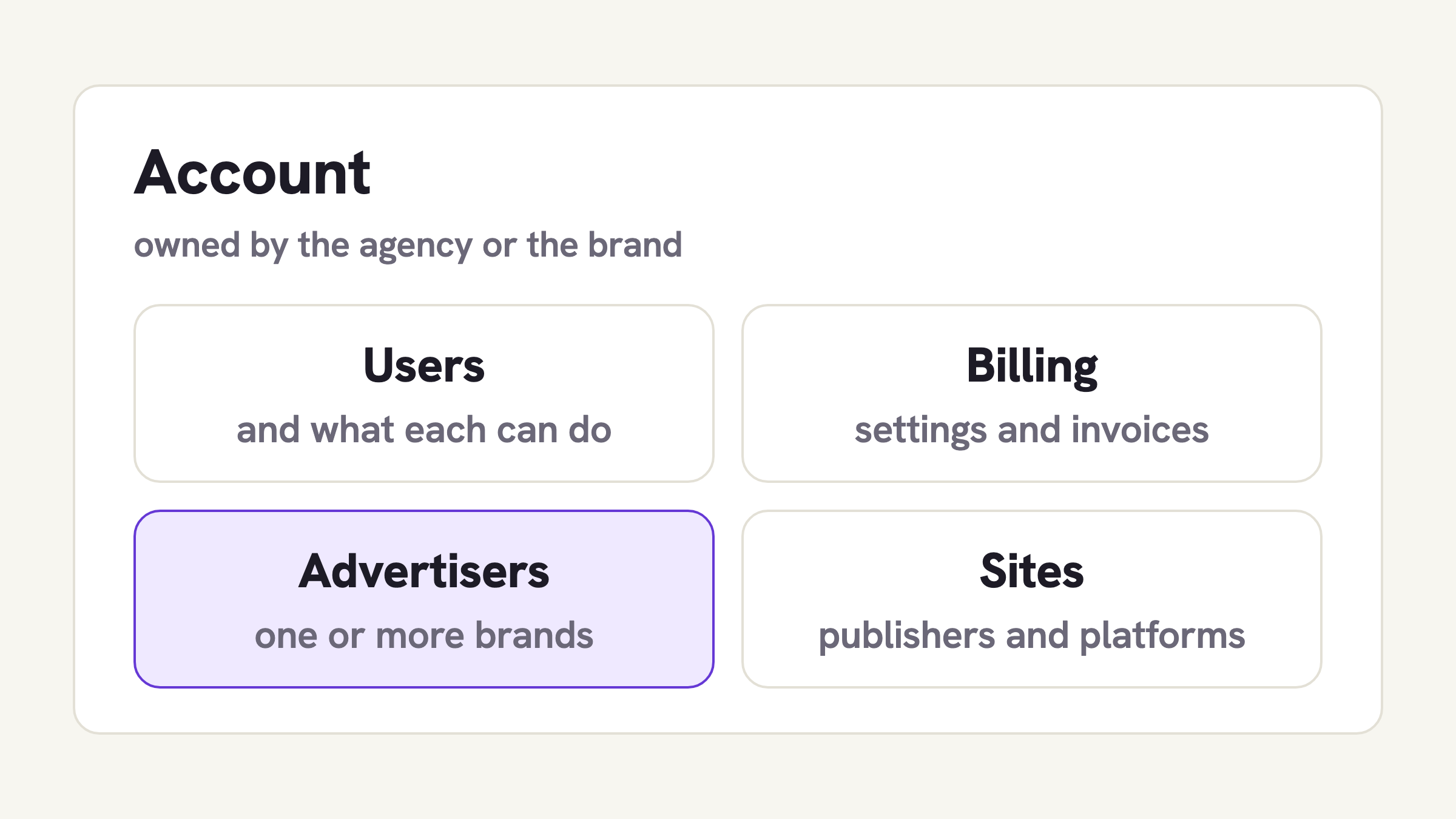
You can't create an account yourself. Most companies get one through a verified reseller that works with Google. Very few deal with Google directly, and that usually means spending a lot of money.
You can also limit which advertisers each user can see, so some people only see the advertisers they work on.
2. The advertiser, and how to split them
The advertiser is the brand or business whose ads are being served. It holds everything for that brand: its campaigns, its creatives, its landing pages and its Floodlight setup. Floodlight is CM360's conversion tracking, the part that records sales or sign-ups after someone has seen an ad.
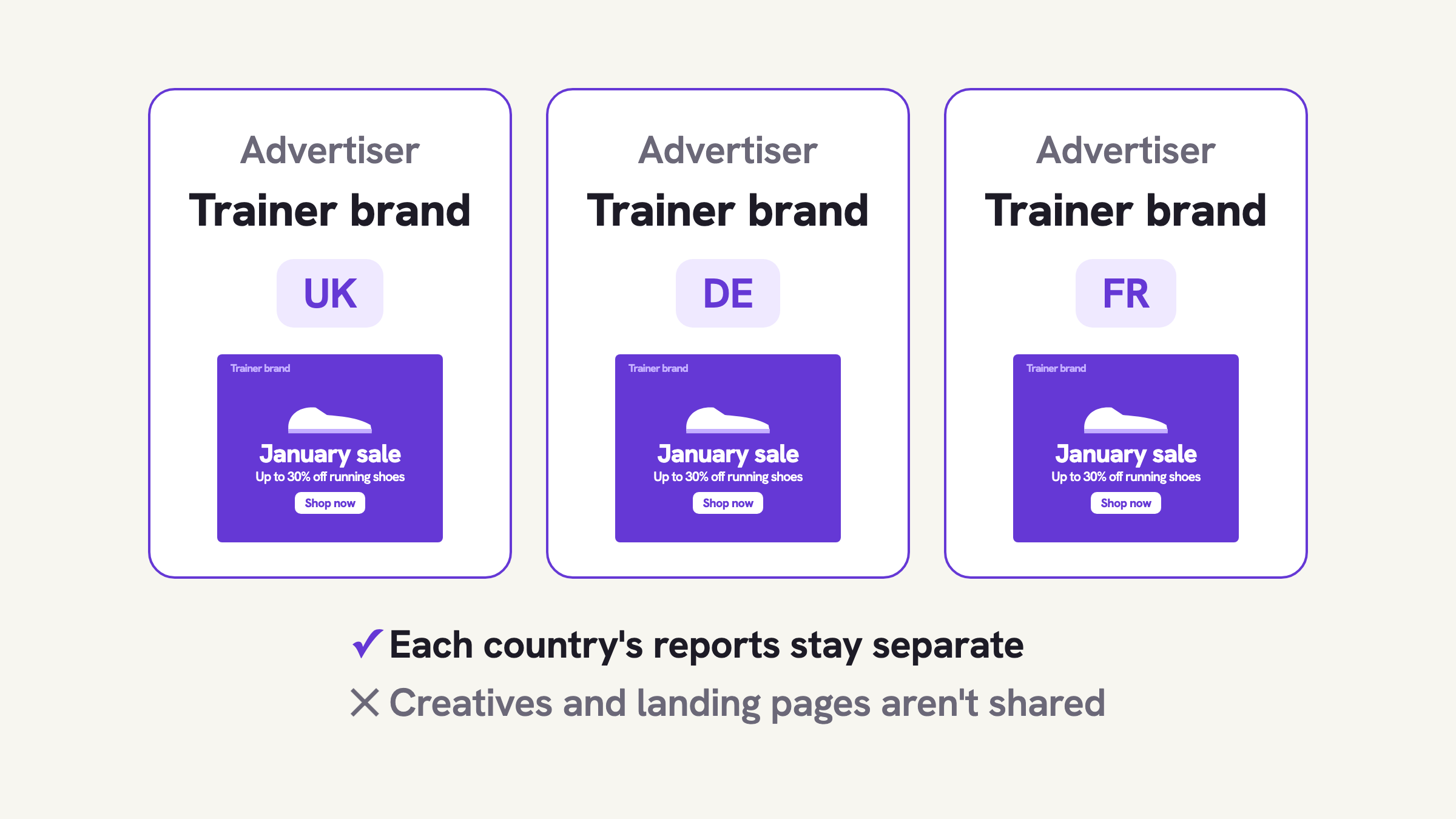
The question we get most often is how to structure advertisers. There are two common ways.
By country. This is what most people do. The trainer brand would have one advertiser for the UK, another for Germany, another for France, and so on.
- Each country's reporting stays separate.
- It can make billing easier, for example invoicing each country separately.
- The downside: creatives and landing pages aren't shared between advertisers, so depending on your setup you may have to duplicate some of them.
By brand. An agency working for several footwear brands might have one advertiser per brand, with all the countries inside it. That makes some of the setup easier.
If you split by country, you don't have to set up tracking twice. Several advertisers can share one Floodlight setup: one advertiser acts as the parent, you set up your conversion events there, and the others share them. You have to decide this at the very beginning. Once an advertiser has its own Floodlight conversions, it can't be switched to a shared setup later, and you'd need a new advertiser. So think about how you set up at the start, because it decides what you can do later.
Naming matters at every level
Whichever way you split your advertisers, naming is very important in CM360: at the campaign, placement, ad and creative level. Your names decide how detailed your reports can be and what information you get out of them.
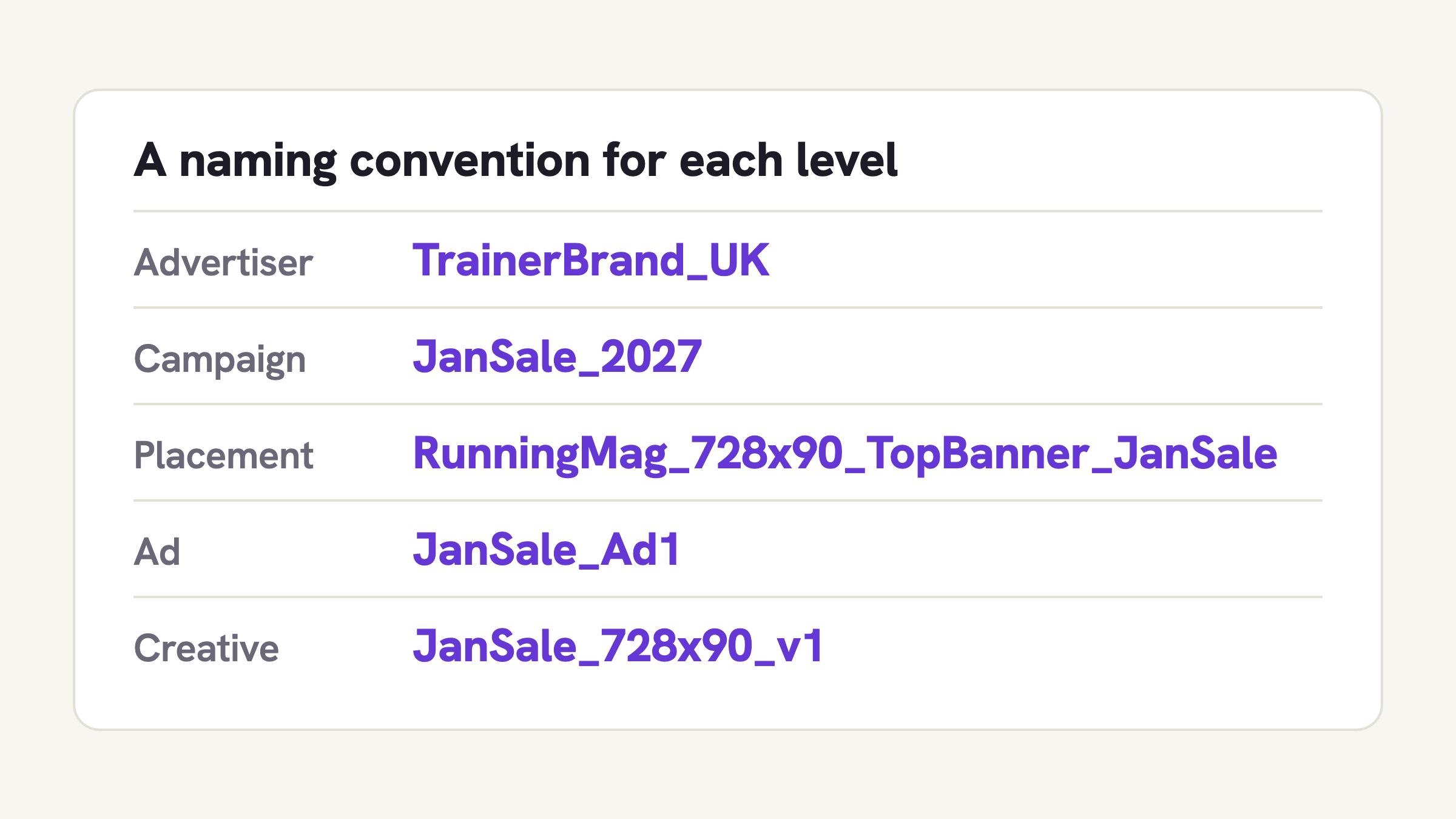
Pick a naming convention for each level and stick to it across all your advertisers. If you ever have to report on every campaign you've run, it makes the job much easier.
3. The campaign
Inside the advertiser you have your campaigns. A campaign is one marketing push for the advertiser. In our example, that's the January sale.
A campaign has:
- a start and end date. Placements take these dates by default.
- a default landing page, the page people go to when they click. It's usually the home page, and it acts as a backup: if you forget to set a landing page for a creative, clicks go there.
- extra landing pages, if you want to send people to specific pages on your website.
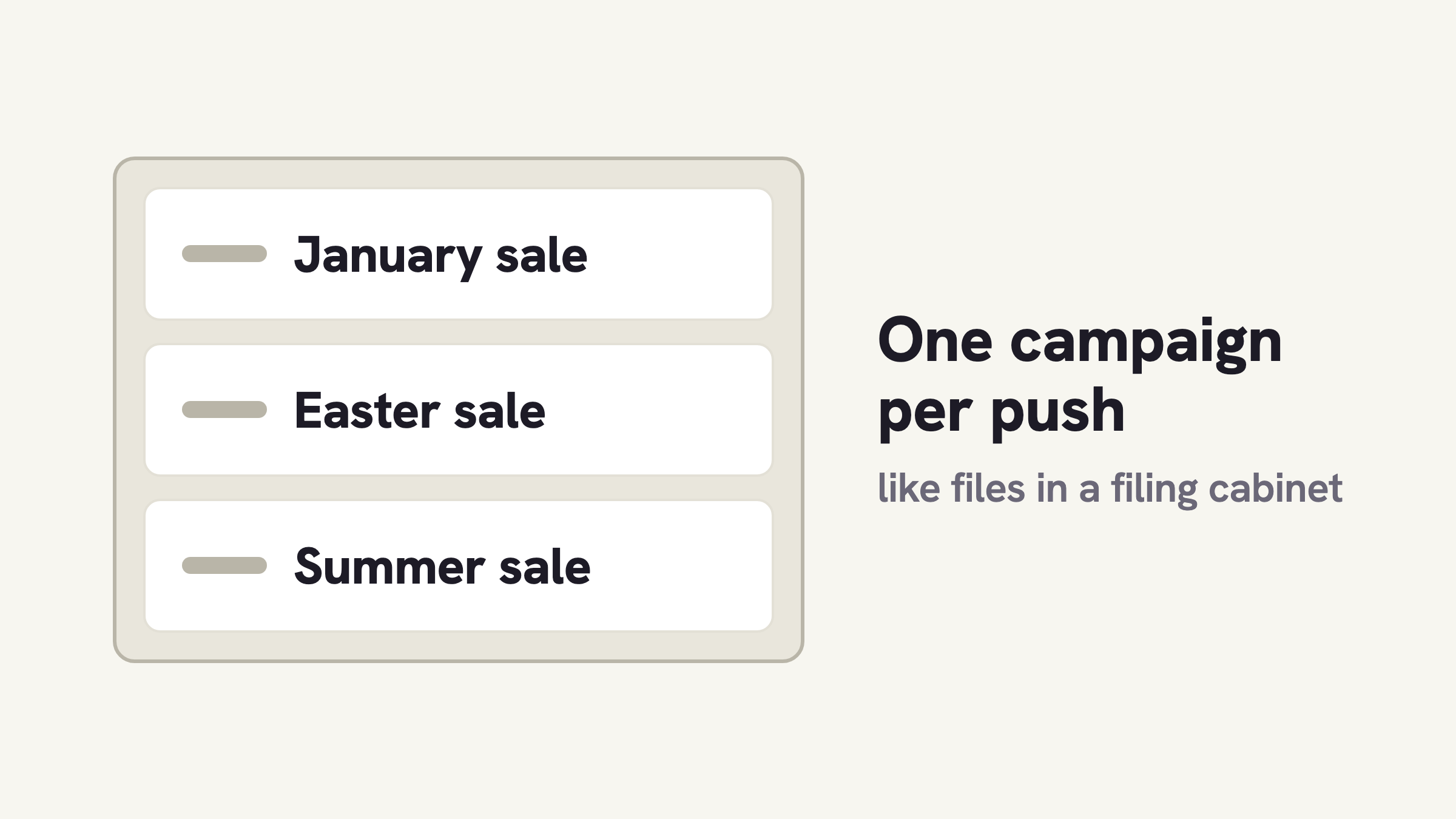
How you split your campaigns is a bigger choice than it looks, and there isn't one right answer. Think of campaigns as files in a filing cabinet: it comes down to how you like to organise. Some common options:
- mirror how your campaigns are set up in your DSP (the platform you buy ads through, such as DV360)
- one campaign per product
- one campaign per push, for each month or each sale
- one always-on campaign, if your ads run all year, which means less to build
4. The placement and the site
Inside the campaign you have your placements. A placement is the specific space on a website or app where your ad is booked to appear. It's defined by the site, the size or format, the dates and the price.
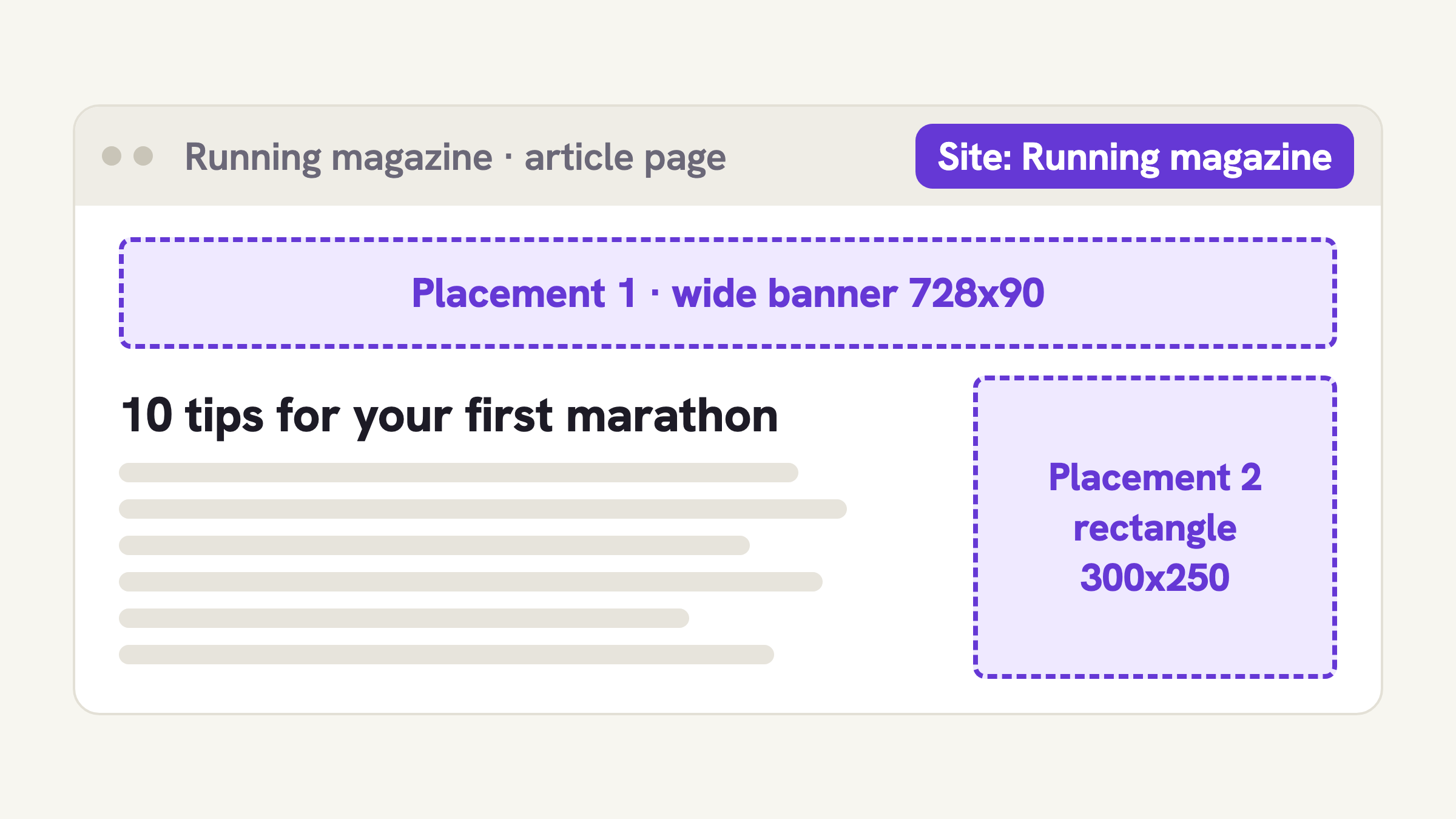
In our example there are two placements: the wide banner at the top of the running magazine's page, and the rectangle next to the articles. Each has one size here, though a placement can take several sizes if the site accepts them.
When you name a placement, put in the site, the format, the size and the campaign it belongs to.
Every placement belongs to a site. The site is the publisher or property where your placements run, here the running magazine. You don't build sites for each campaign. You pick them from a list, and that list sits at the account level, next to your advertisers rather than under them. A site can be a publisher, or it can be a buying platform like DV360.
You can't change a placement's site later on, so make sure you pick the right one from the start.
5. The ad
The ad is the level that confuses most people. In CM360, the ad is not the image or video. It's a set of rules that decides which creative shows on a placement, and when. It carries most of the delivery logic: the dates, the rotation (how several creatives take turns), some targeting, the frequency (how often one person sees it) and the priority. It's the link between your placement and your creative.
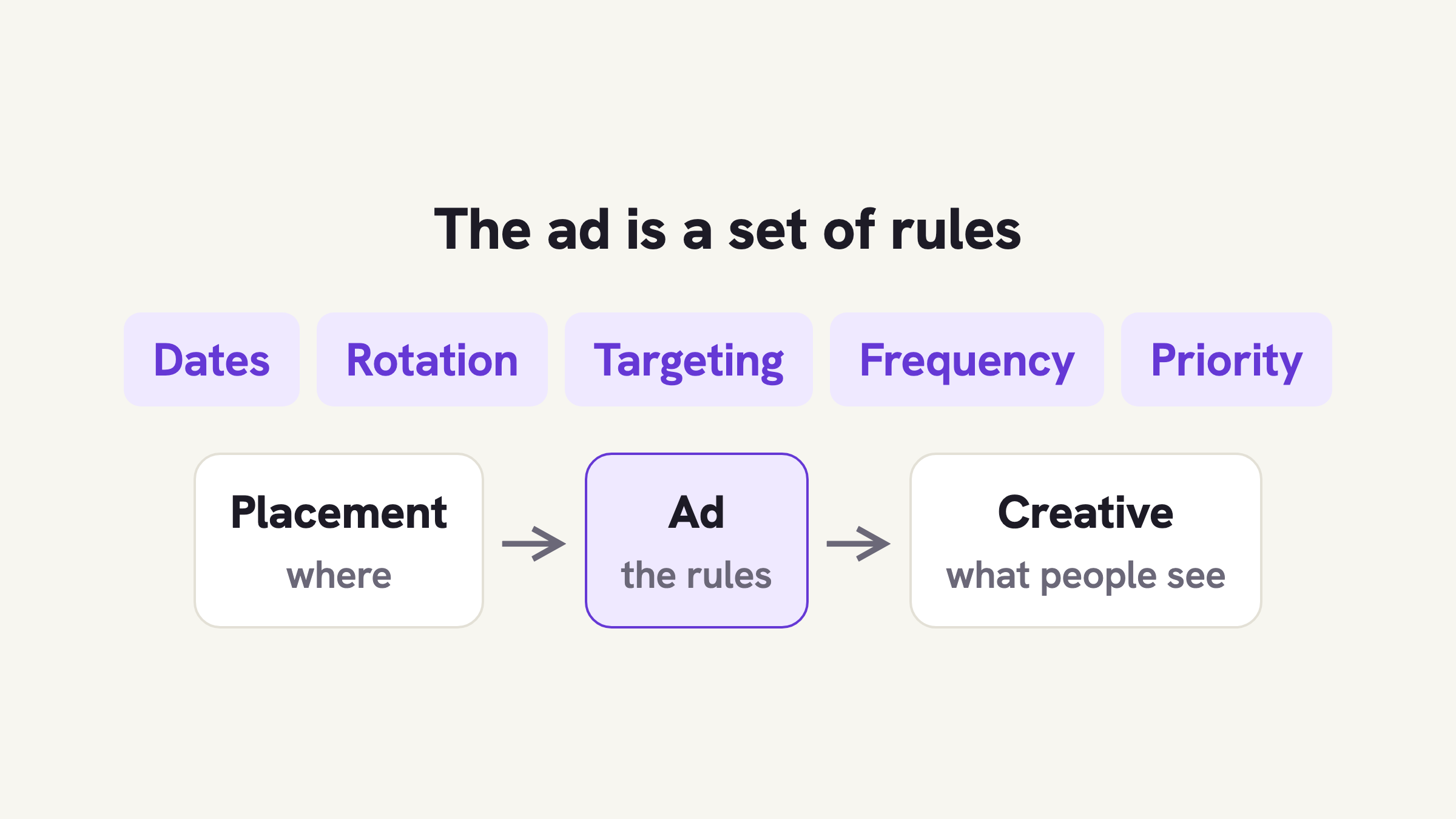
In our example, each placement has its own ad: a January sale ad on the wide banner and another on the rectangle, both running from 1 to 31 January.
You don't always have to build the ad yourself. Once you've created your placement and uploaded your creative, assigning the creative to the placement can create the ad for you, which saves time.
CM360 also makes default ads. These show when your real ad can't, so there is always something appearing in the space. For display placements, CM360 makes them from an image or HTML5 creative.
6. The creative
The creative is the thing people actually see: the banner, the video or the audio ad, along with the link that takes people to your website when they click.
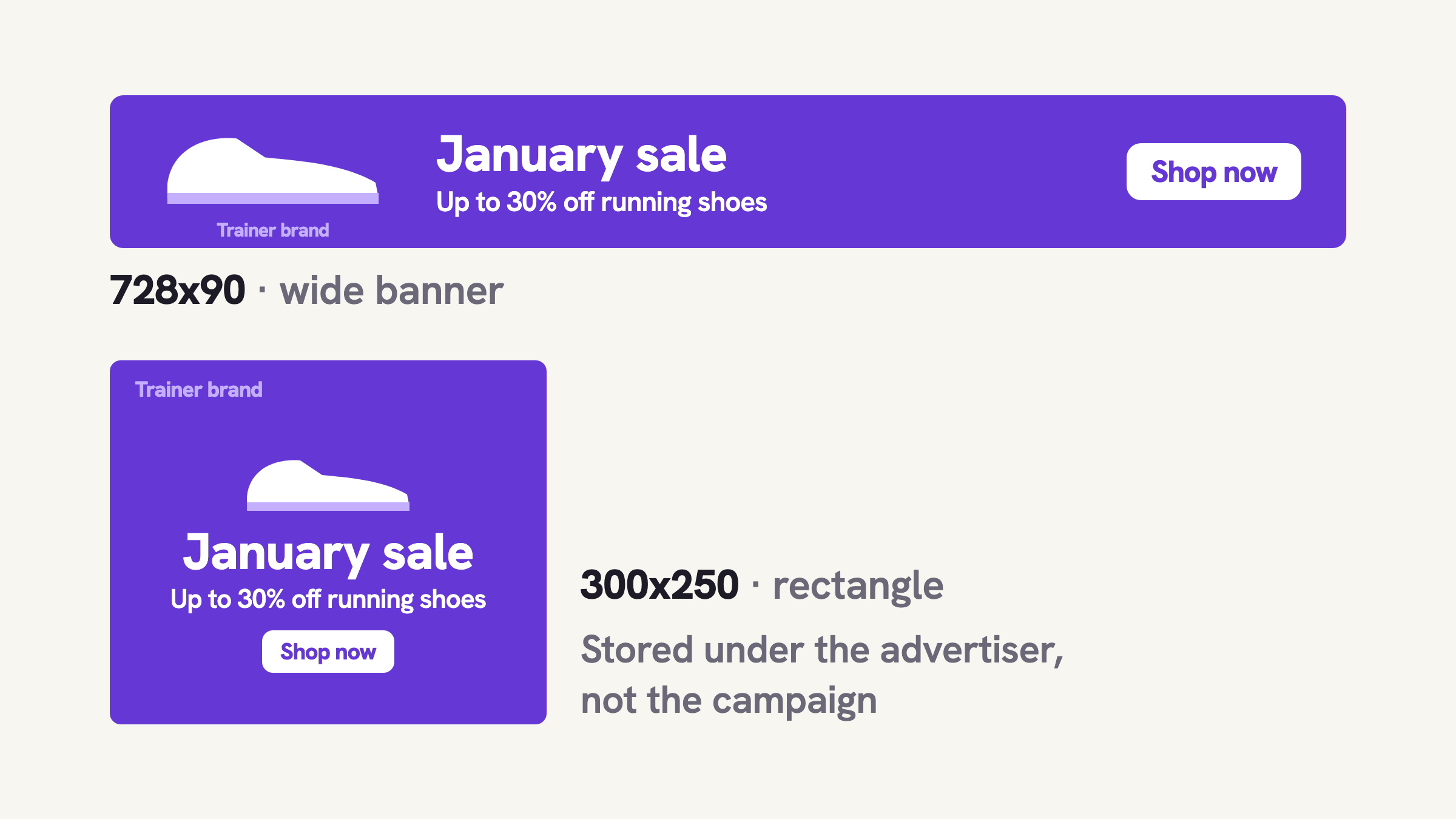
In our example, the creatives are the January sale banners in two sizes: 728x90 for the wide banner and 300x250 for the rectangle.
Many people don't know this: creatives aren't stored in the campaign. They're stored at the advertiser level. Any creative you use in a campaign can be found later under the advertiser, and used again.
Common types of creative are image, video and HTML5, which is an animated banner.
How placements, ads and creatives fit together
There are a few common setups:
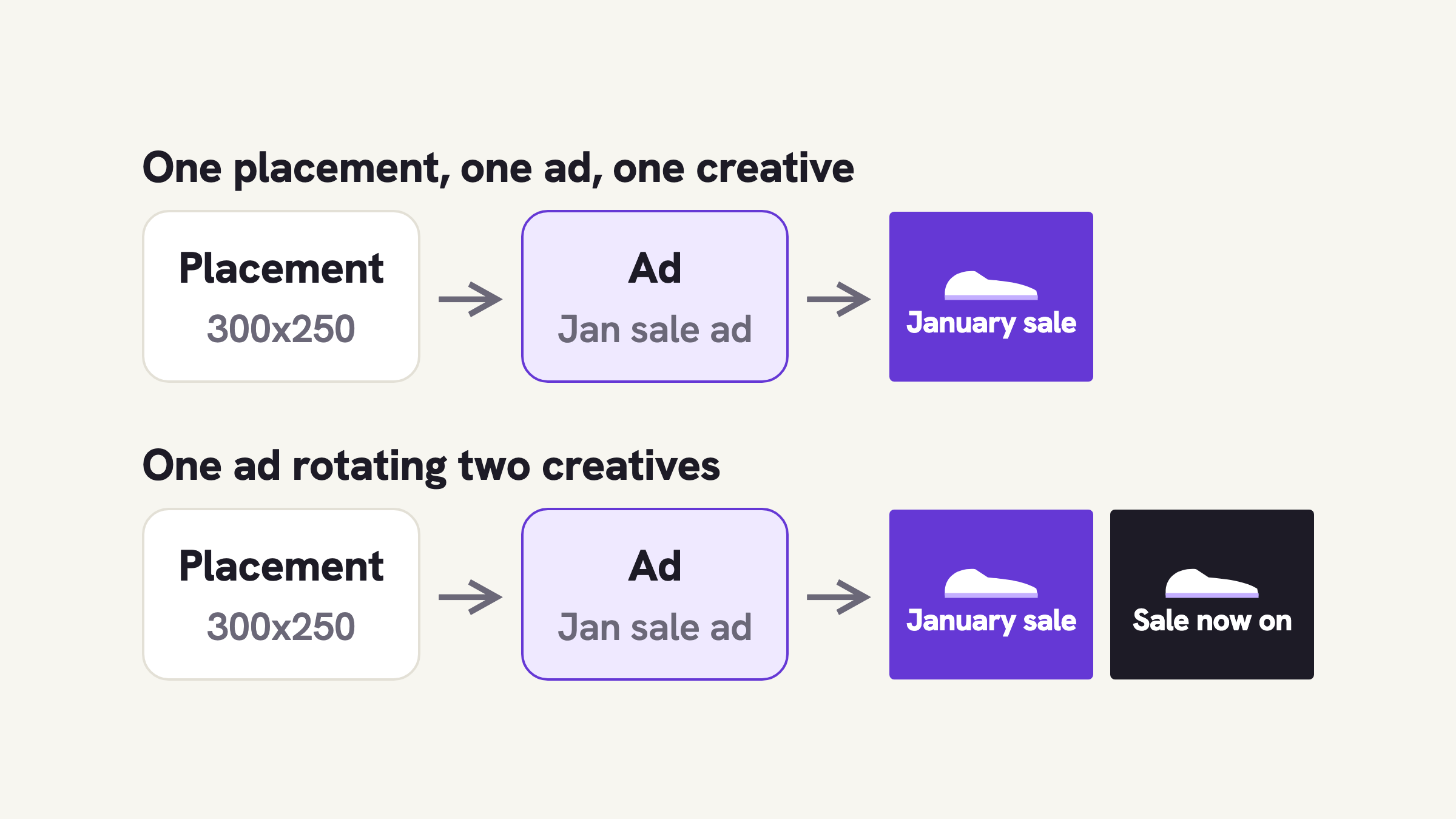
- One placement, one ad, one creative. The simplest one, and what each of our two placements has.
- One ad rotating several creatives on the same placement. For example, two versions of the sale banner, so you can test which performs better.
Recap
The account and the advertiser are set up once. The campaign, placements and ads you build each time, picking the site from your list and the creative from the advertiser if you've already uploaded it.
An advertiser runs campaigns, which hold placements, which are assigned ads, which serve the creatives.
What's next
Part 3 builds this setup in CM360, step by step, and points out three mistakes that stop ads from showing.
Want help setting up CM360 alongside your DV360 buying? See our programmatic and CTV service, or book a free audit.
CM360 Fundamentals: all parts
A video series on Google Campaign Manager 360 in plain English. See the series or follow it on YouTube.
- Part 1What is CM360? Google's ad server explained
- Part 2CM360 hierarchy: how Campaign Manager 360 is organised (you are here)
- Part 3How to set up a campaign in CM360
Quick answers
What is the CM360 hierarchy?
From the top: account, advertiser, campaign, placement (with its site), ad and creative. Sites sit at the account level and creatives are stored at the advertiser level.
What is the difference between an ad and a creative in CM360?
The creative is the file people see, such as a banner or video. The ad is a set of rules that decides which creative shows on a placement and when.
What is a placement in CM360?
A placement is the specific space on a website or app where your ad is booked to appear. It's defined by the site, the size or format, the dates and the price.
How should you structure advertisers in CM360?
Most advertisers split by country, which keeps each country's reporting and billing separate but means creatives and landing pages aren't shared. Agencies often have one advertiser per brand instead. If you split by country, the advertisers can share one Floodlight setup, but you have to decide that at the start.
Can you change a placement's site in CM360?
No. Pick the right site when you create the placement.
We are a programmatic and paid media agency. If you want to know what your ads actually bring in, start with the audit.
Book your free audit